Results Exploration

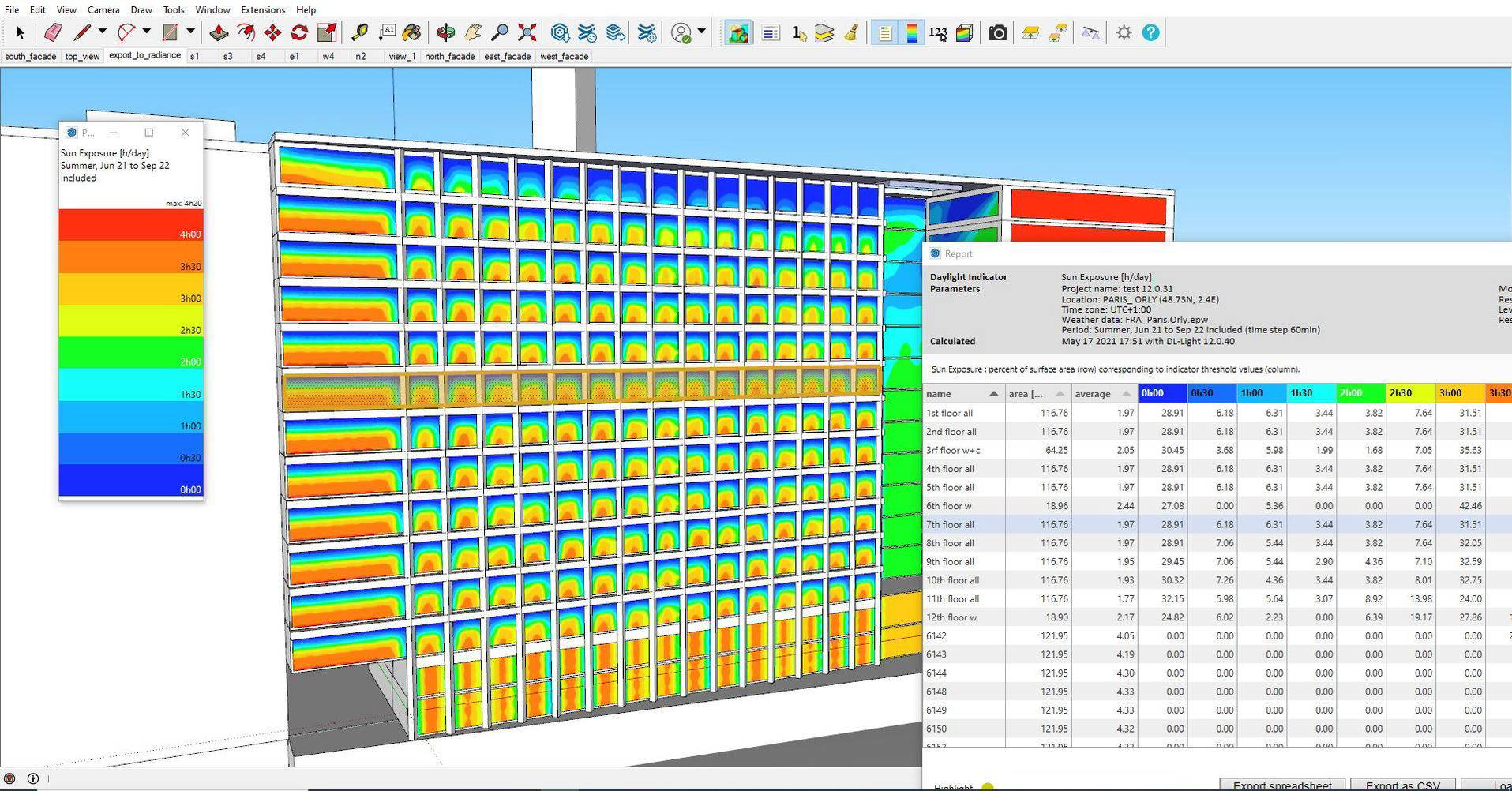
Interaction between the model and the results report

See how DL-Light connects your SketchUp geometry with live daylighting data — select surfaces, update parameters, and watch the report update in real time.
All Output Formats

Three ways to explore your results

From real-time colour maps directly on the model to interactive reports and spreadsheet exports.

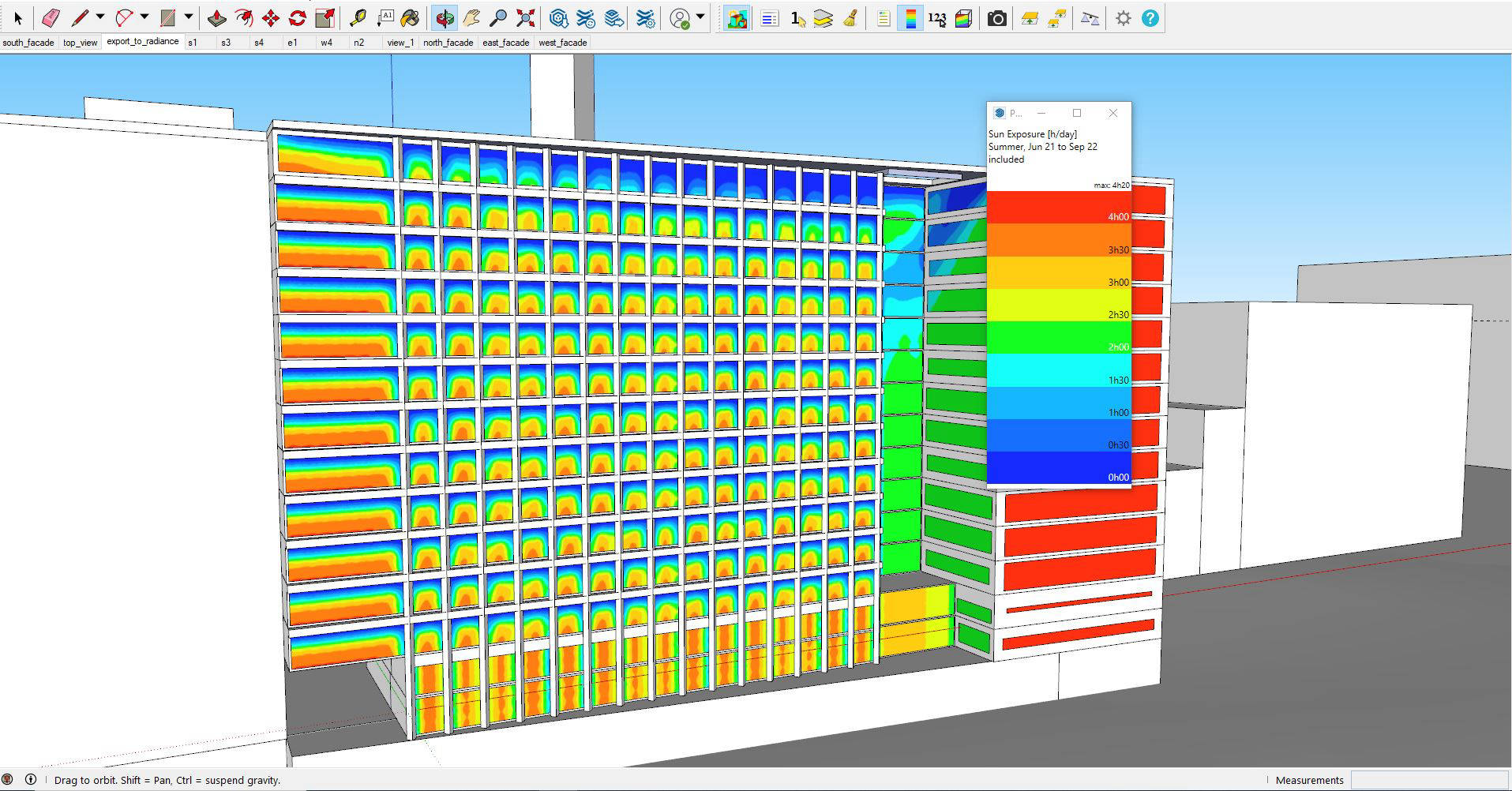
Graphical results — colour map on the SketchUp model

Graphical Results

Colour-coded false-colour maps displayed directly on your SketchUp surfaces for instant visual feedback.

Interactive report inside SketchUp

Interactive Report

A fully interactive HTML report embedded inside SketchUp — click on surfaces to drill into detail.

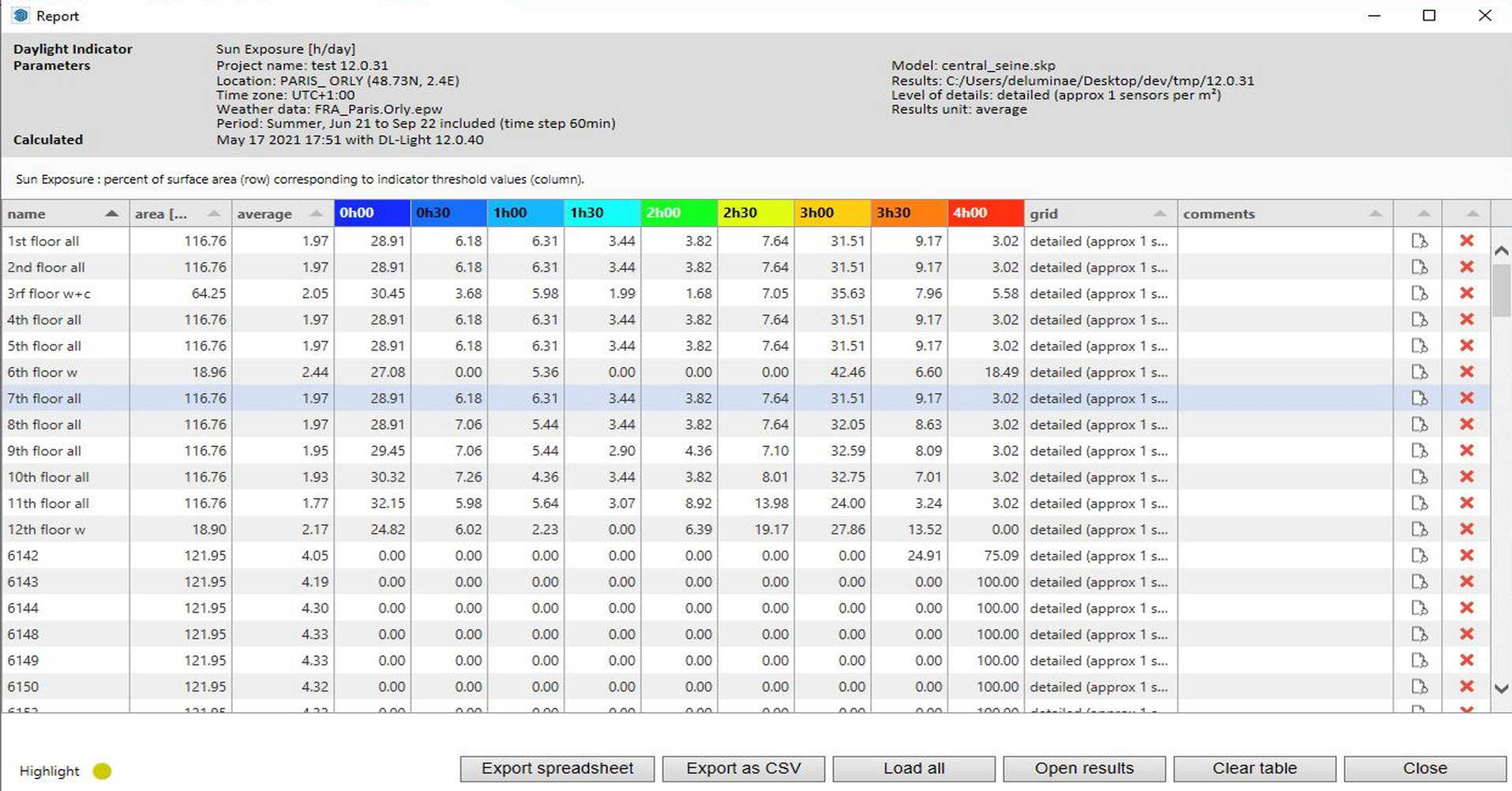
Detailed results report in DL-Light

Detailed Report

The interactive report details all graphical results and links them back to the model geometry.

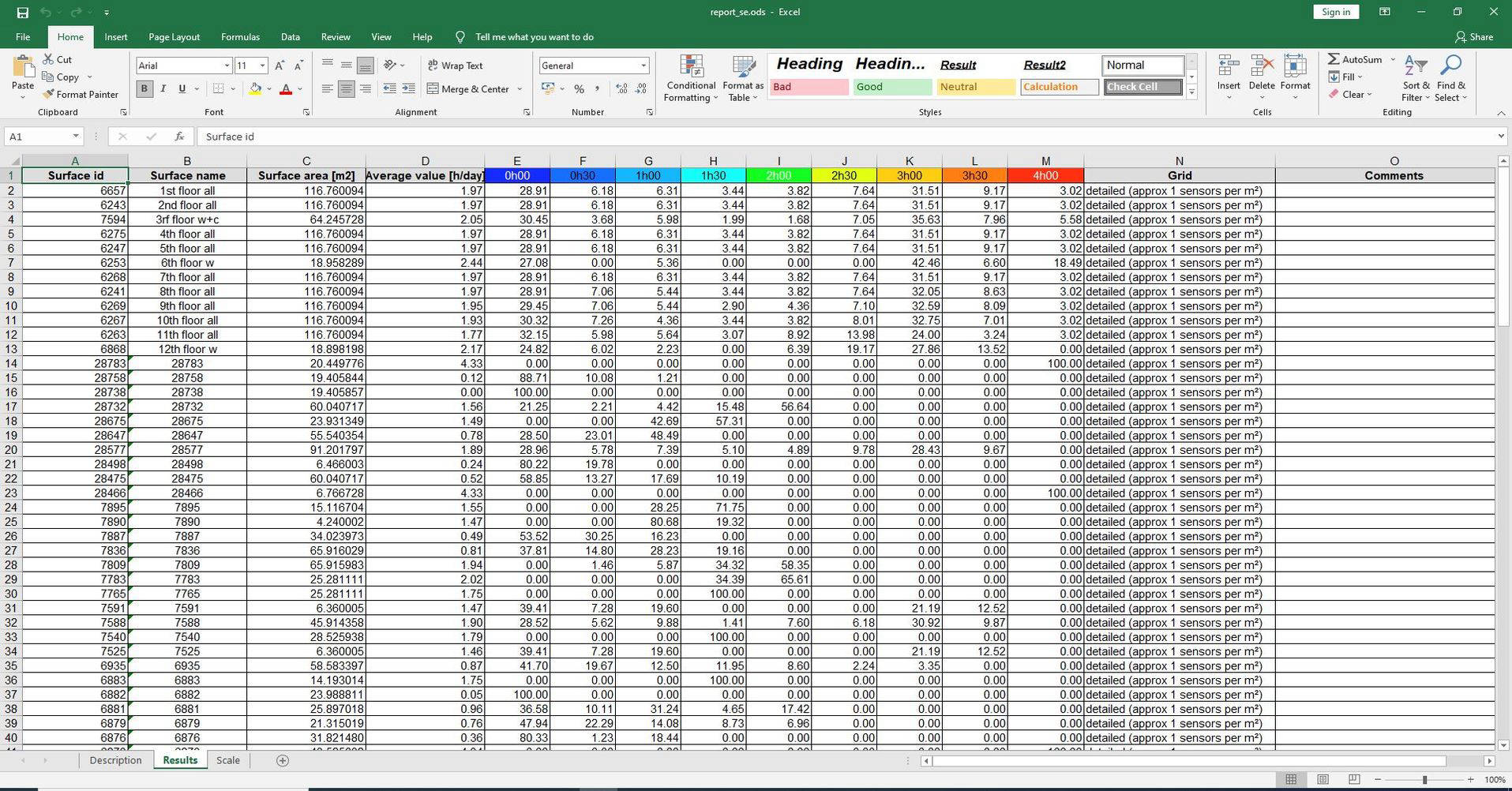
Spreadsheet export of daylighting results

Spreadsheet Export

Export results to a spreadsheet for further analysis, custom charting, or inclusion in compliance documentation.

Start exploring results today

Download the free evaluation — no time limit, no credit card required.